
Brand defaults and graphics you don't want
Set the voice and look once for a channel, and keep the graphics you never want out of every video.
A brand kit holds a channel's logo, voice, graphics and footage rules (Set up a brand kit shows how to make one). This article covers its defaults: what every video on the channel gets unless you change it for one video. Open Brand kits in the sidebar and click the channel's kit.
About these pictures: we made a kit called Food Archive Classic for The Food Archive, looked at the Ice King video with it, then removed it.
1. Voice
Under Default voice, pick the ElevenLabs voice for the voiceover. We picked Nate the Great.
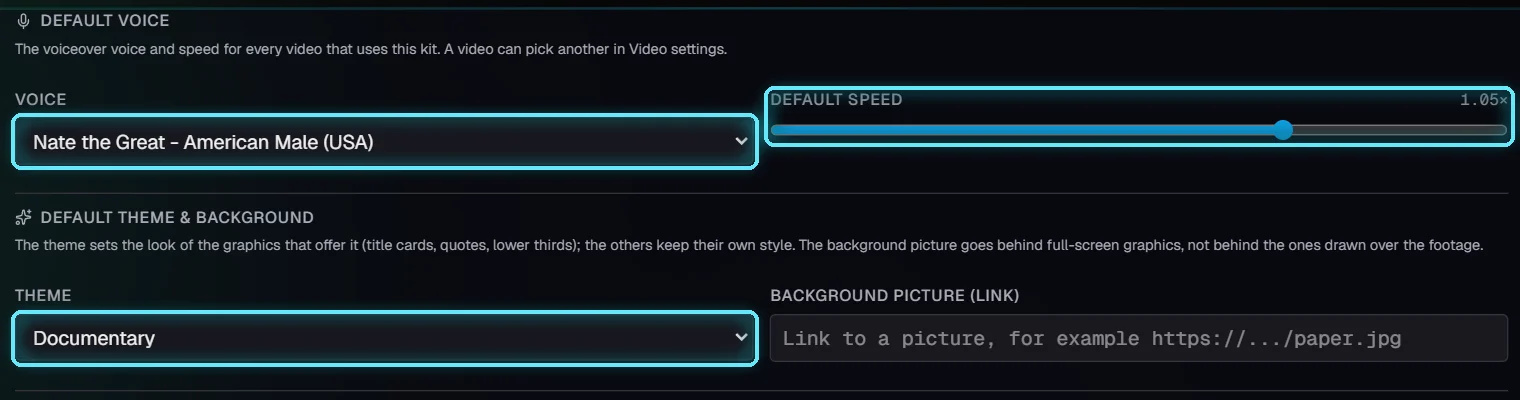
Voice and theme in the brand kit.
Every video that uses the kit is voiced this way, and so are its hook previews. None uses the channel's voice, or the one in Settings. Changing the voice later means the next build voices the scenes again, and ElevenLabs charges for that.
2. Theme and background picture
Theme is the look of the graphics that offer it. Most graphics have their own style and keep it; the theme changes these:
Graphic | Themes it can show |
|---|---|
Title card | All six: Cinematic, Documentary, Editorial, Kinetic, Vintage film, Calm |
Lower third | Documentary |
Quote | Editorial |
Every other graphic | Its own style (the theme leaves it alone) |
Background picture is a link to a picture (an old paper texture, say). It goes behind full-screen graphics such as title cards and charts. It never goes behind graphics drawn over the footage, like lower thirds and source credits, so it can't hide your footage.
3. Graphics you don't want
This list has all 178 graphics, in three groups:
Added for you: the ones Auto-fill motion and the build pick by themselves.
In the Library: the others, which only appear when you (or the AI editor) add them.
Older graphics: an older look, hidden in the Library unless you show them. Click Show to see them.
Type in Find a graphic, then click a graphic to block it. Click it again to allow it. Allow all and Block all change the whole list.

Finding Headline slam to block it.
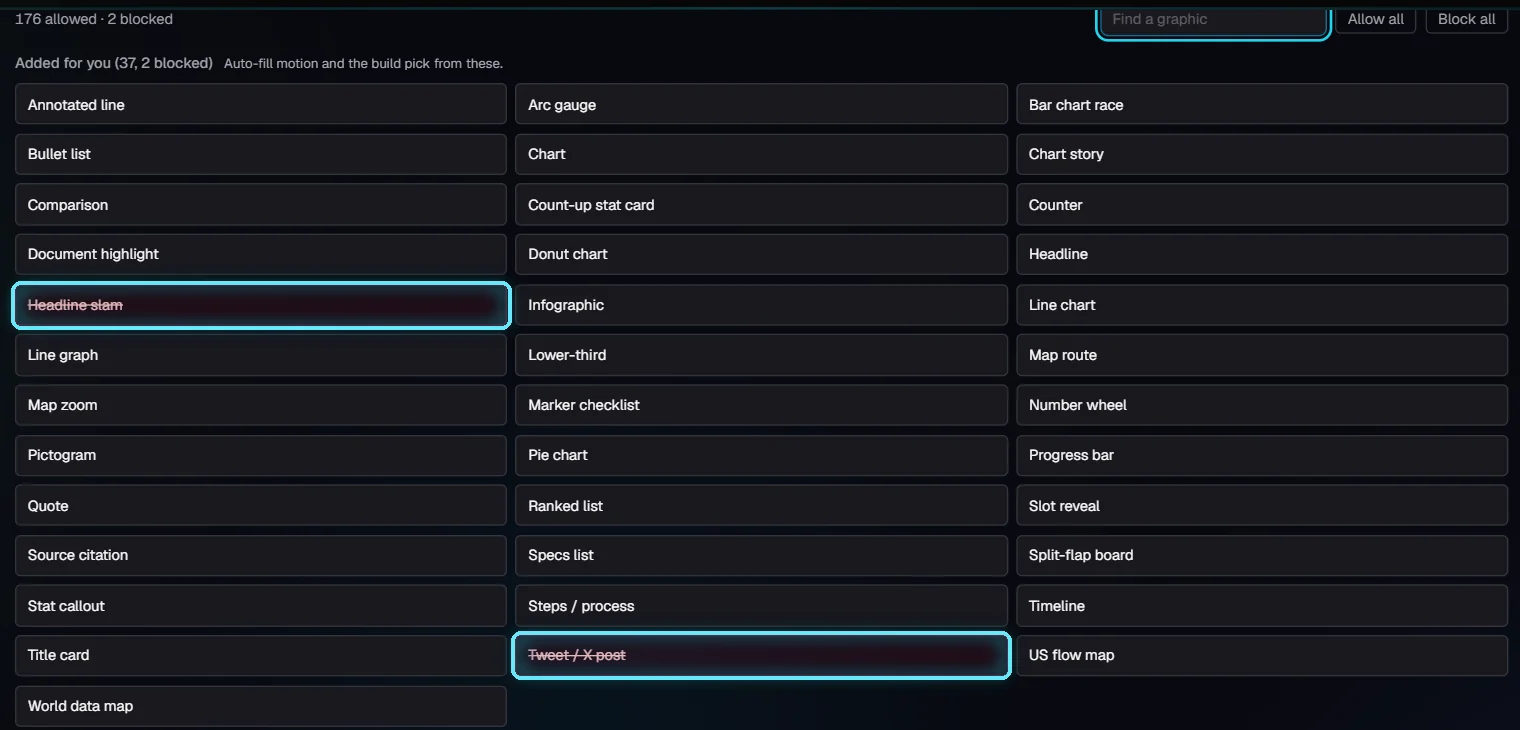
Tweet / X post and Headline slam blocked: struck through in red.
A blocked graphic is never added: not by Auto-fill motion, not by the build, not by the AI editor, and the Library greys it out. Graphics already on a video stay; delete them in the editor if you don't want them.
4. What a video sees: Video settings
Open a video's Video settings. The Brand kit field names the kit, and the voice, theme and blocked graphics come from it.
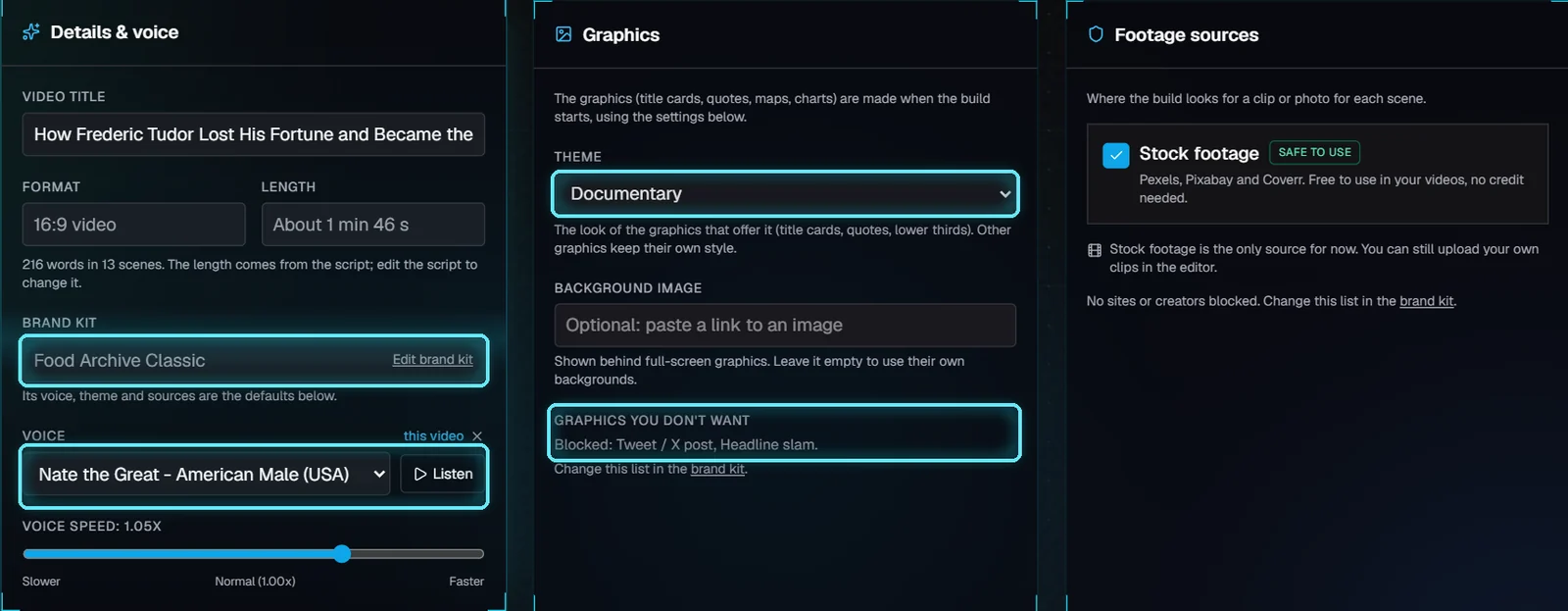
The Ice King video with the kit: its voice, Documentary theme and the two blocked graphics.
Change any of them here for this video only: a this video tag shows the change, and its X goes back to the kit. To block another graphic, use the brand kit.
Setting | Where it comes from (the first one set wins) |
|---|---|
Voice | Video settings, then a voice picked earlier in the editor's Voice panel, then the brand kit, then the channel, then Settings |
Theme, background picture | Video settings, then the brand kit |
Graphics you don't want | The brand kit's list. Video settings can drop it for one video |
5. In the editor
In the editor's Animations tab, a blocked graphic is greyed out with BLOCKED and can't be dragged onto a scene.
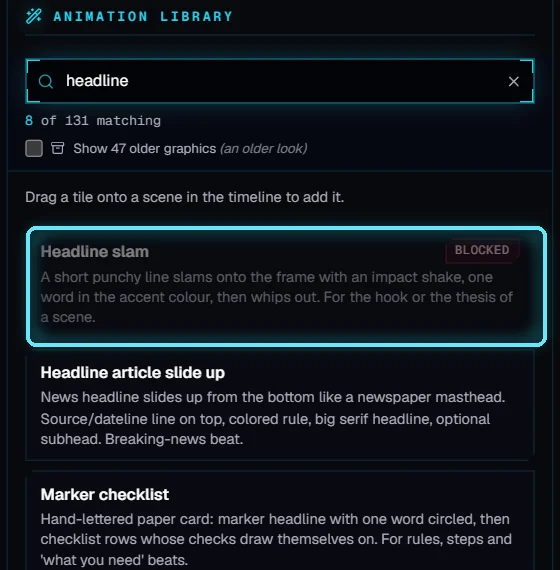
Headline slam is blocked for this video.
Next: Footage licensing: Compliance & sourcing.
Tips
Block what never fits your channel, rather than deleting the same graphic from every video.
Pick the voice in the kit once. Use Video settings only for the odd video that needs another voice.
Listen before you choose: Video settings has a Listen button that plays the voice's free ElevenLabs sample.
Troubleshooting
A blocked graphic is still on my video. Blocking stops new ones; it doesn't remove graphics already there. Select it in the editor and delete it.
The theme didn't change a graphic. That graphic has its own style. Only the ones in the table above use the theme.
Auto-fill says the brand kit blocks every graphic. Everything Auto-fill can add is blocked. Allow a few in Added for you.
The background picture doesn't show. It only shows behind full-screen graphics, and the link must open a picture (try it in your browser).