
Find your next topic
Check a topic on YouTube search, score keyword ideas, and start a video from the best one.
A 4-minute video version of this guide will play here. Everything it shows is written out below.
Two tools in Research help you pick what to make next. Topic pulse tells you whether people search for a topic, and what they search with it. Keywords turns one of those searches into a scored list of exact phrases, and starts a video from the one you choose. This guide does it for The Food Archive, a food history channel.
Tool | What it answers |
|---|---|
Topic pulse | Is this topic searched more or less than before, on YouTube or on Google? What do people search together with it? Free, from Google Trends. |
Keywords | Which exact searches around a seed are worth a video? YouTube's own suggestions, AI ideas and related names, scored by reading the top 10 videos for each. |
Before you start
Nothing to set up for Topic pulse. It reads Google Trends, which is free. Google limits how often one connection can ask; when it refuses, Topic pulse says so and asks you to wait a few minutes.
A YouTube Data API key in Settings > API keys for the Keywords scores. Each scored keyword uses about 100 of your 10,000 free daily units; a run scores 10.
An AI model in Settings > AI model for the AI ideas and questions. Keywords works without it, with YouTube suggestions only.
1. Check a topic with Topic pulse
Open Research and, under Discover, click Topic pulse.
Type a short phrase people search for. Two or three words work best: food history.
Leave Search on on YouTube to measure searches on YouTube (Google measures web searches). Leave Region on Worldwide or pick a country.
Click Pulse. A result is kept for 24 hours, so checking the same topic again is instant.

Topic pulse, set to searches on YouTube.
The verdict sums up the two charts. The left one is the last 12 months, week by week; the right one is five years. The numbers are relative: 100 is the busiest week in that window, not a number of searches.
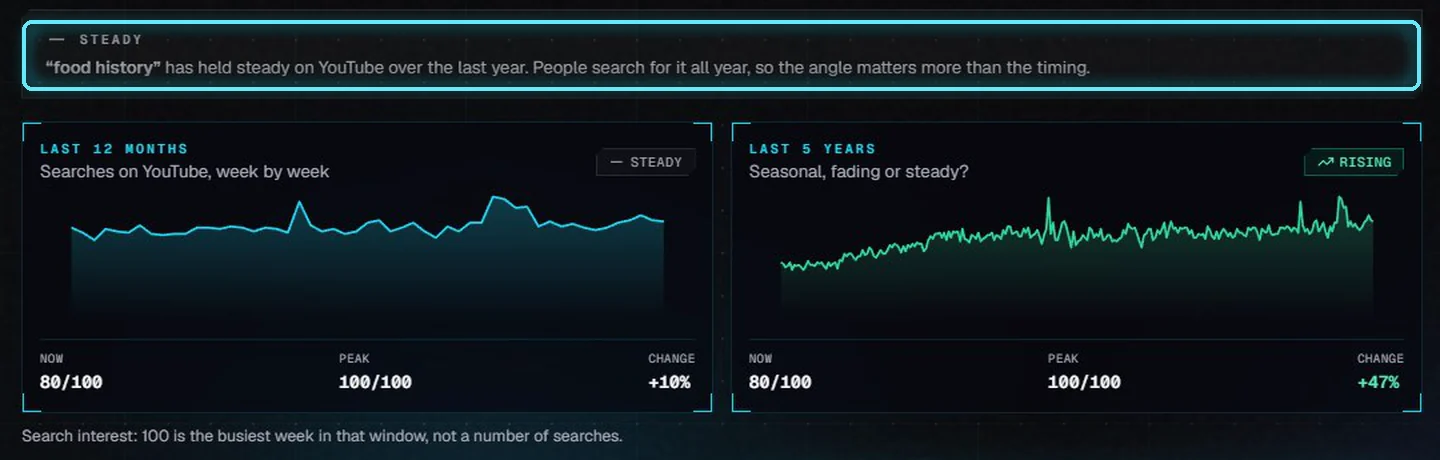
Food history is Steady over the last year on YouTube, and up 47 percent over five years.
Verdict | What it means |
|---|---|
Rising fast / Rising | The last 3 months of the 12-month window are well above the first 3. |
Steady | No big change. People search for it all year, so the angle matters more than the timing. |
Declining | Down more than 25 percent over the year. A fresh angle may do better than the plain topic. |
Seasonal | Well below its 5-year peak now. Check the 5-year chart for a yearly pattern. |
Fading | Peaked in the last 5 years and has dropped to a third of that or less. |
Too few searches | Most weeks show zero. Google can't draw a trend; try a shorter, broader phrase. |
Related searches
Below the charts, Rising searches lists what grew the most alongside your topic this year (Breakout means more than 5,000 percent), and Top searches lists what people search most together with it. For food history: Max Miller of Tasting History is up 40 percent, and the top searches include weird food, Indian food history and fast food history.
Each row has a Keywords button. It opens Keywords with that search as the seed and runs it.
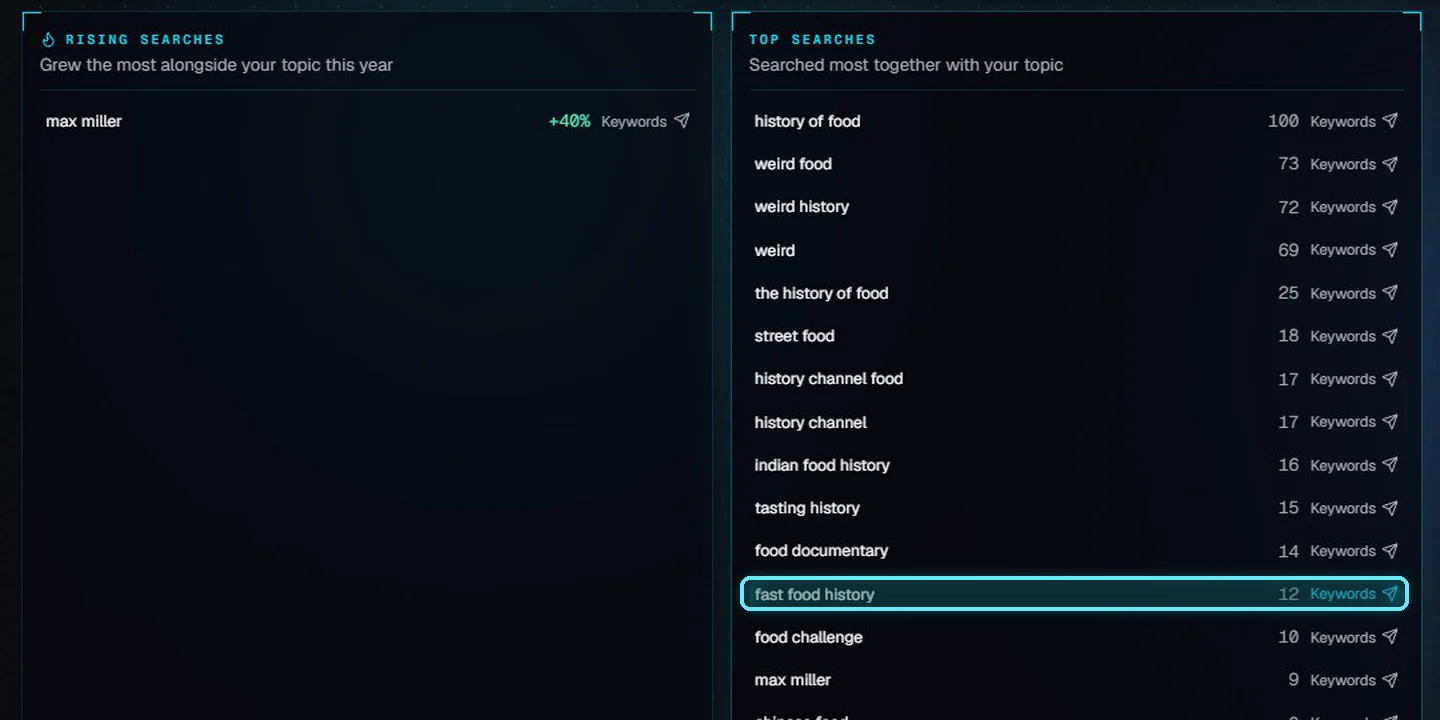
Send fast food history to Keywords.
2. Score keyword ideas
Keywords opens with the seed and runs. You can also type a seed and click Research.
Audience sets the country and language for YouTube's suggestions and search results. Without it, YouTube answers for wherever your PC is.
The boxes choose the sources: more YouTube suggestions (the seed followed by each letter), AI ideas, related names, questions from your AI model, and the YouTube trend.

This run: 18 YouTube suggestions, 29 AI ideas, 30 related names, 12 questions, 10 measured.
For the first 10 rows, VidNexus reads the top 10 YouTube videos for each search and scores it. The list is sorted by Overall.
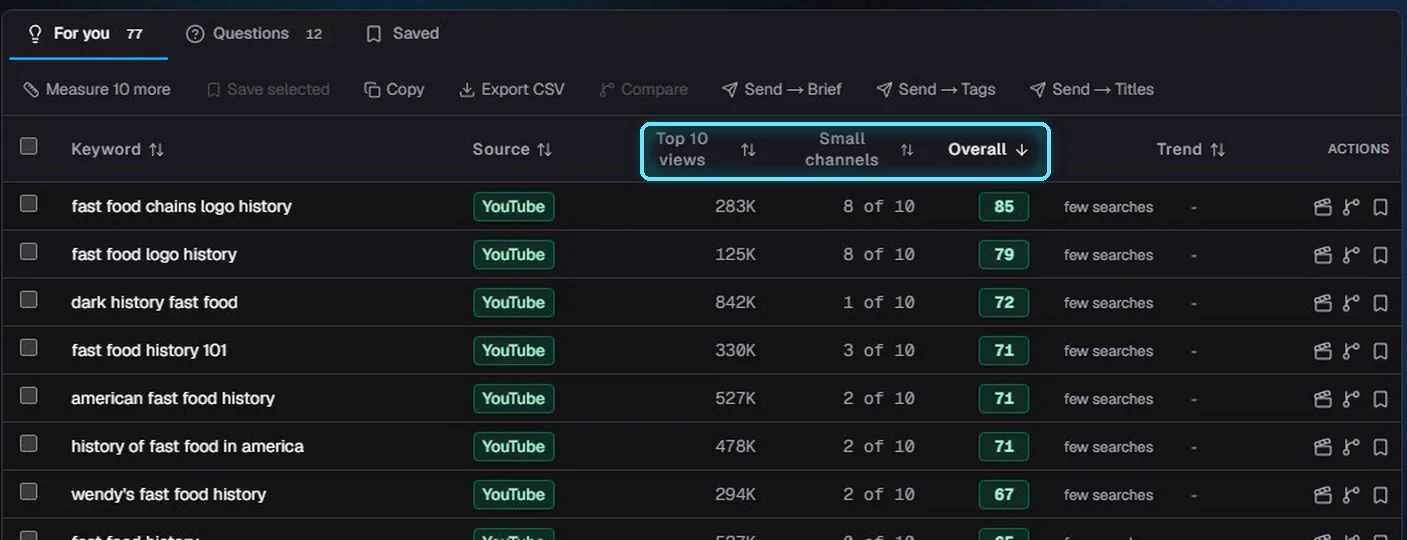
Fast food chains logo history leads: 283,000 median views, and 8 of the top 10 from small channels.
Column | What it tells you |
|---|---|
Source | YouTube: a real YouTube search suggestion. AI idea: from your AI model, not search data. Related name: from Google's Knowledge Graph and Wikidata. |
Top 10 views | Median views of the top 10 YouTube videos for that search: how much people watch this kind of video. |
Small channels | How many of those 10 come from channels under 100,000 subscribers: can a smaller channel rank here? |
Overall | 0 to 100. Views up to 50, small channels up to 30, a real YouTube search up to 20, and the YouTube search trend plus or minus 10. |
Trend | YouTube searches over the last 12 months. Few searches means the exact phrase is too rare for Google Trends. |
Measure more rows
Rows without a score show measure. Click it for one row, or Measure 10 more for the next ten (about 1,000 units). Unmeasured rows never get a made-up score.
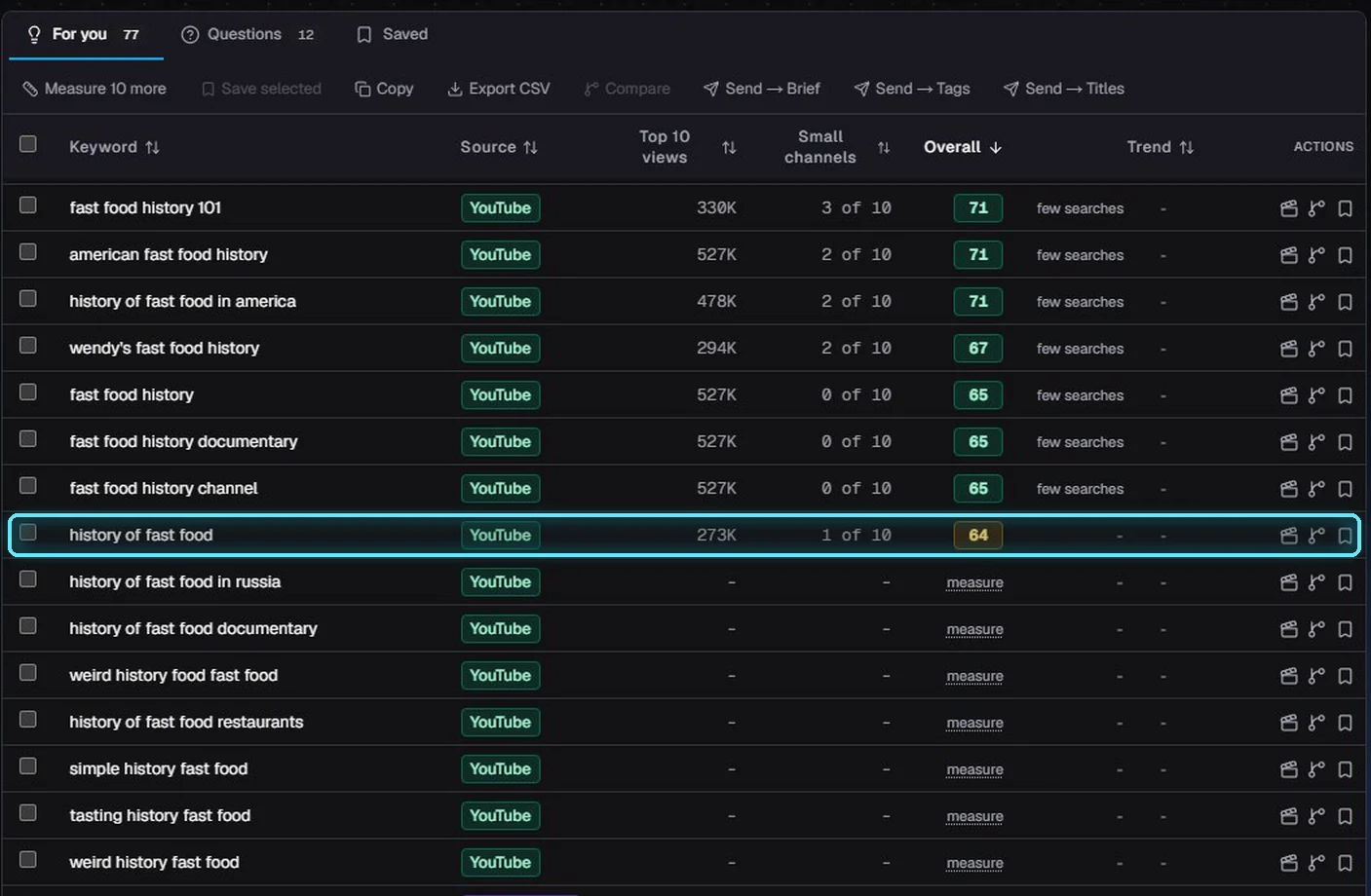
History of fast food scores 64: plenty of views, but only one small channel in its top 10.
Questions
The Questions tab lists angle ideas written by your AI model. They're ideas, not Google search data; the film clapper next to one starts a video on it.
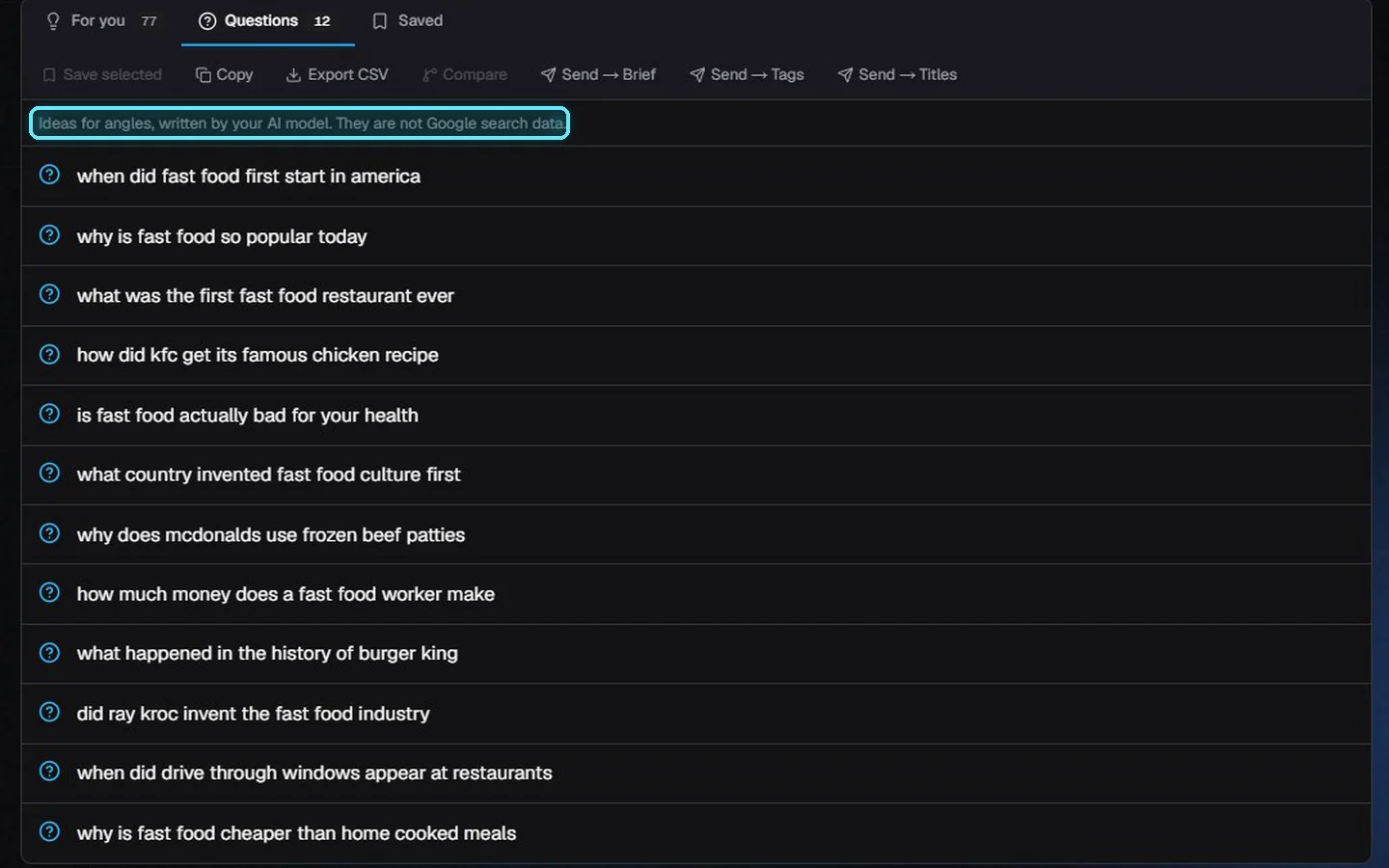
Question ideas for fast food history.
3. Save and start a video
Tick the keywords you want to keep and click Save selected. Only ticked rows are saved.
The Saved tab lists them with their numbers. Saved keywords are kept per channel, and the tab is there every time you open Keywords.
Click Start a video (the film clapper) on one.
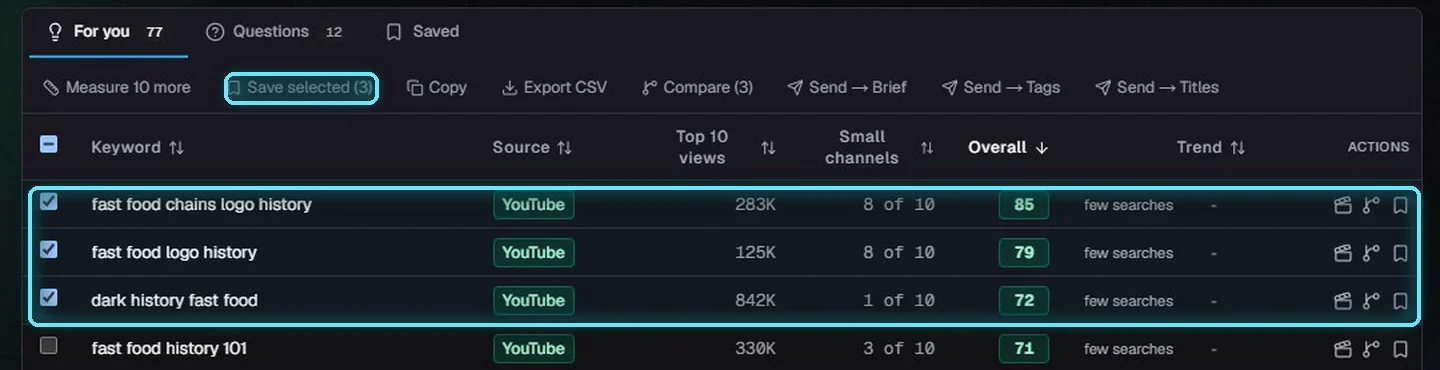
Three ticked, ready to save.
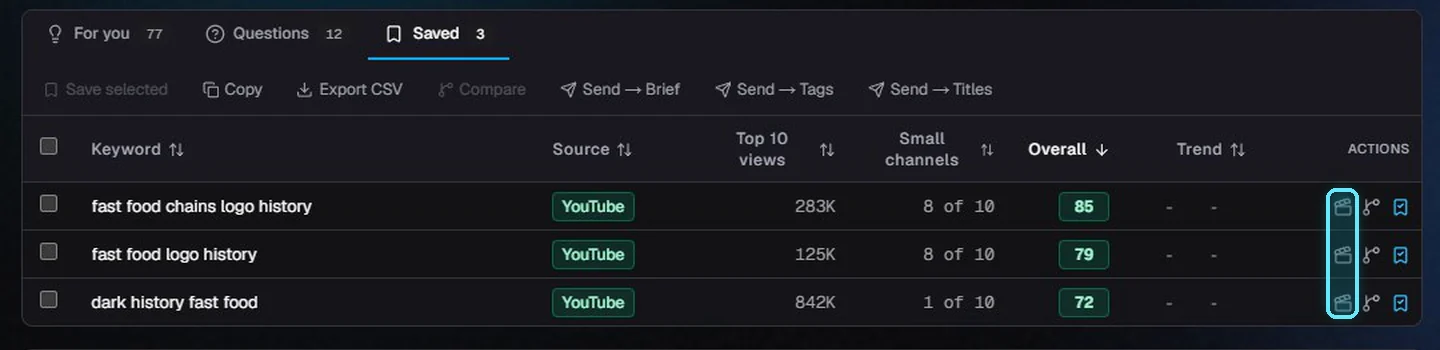
Saved keywords for The Food Archive. The clapper starts a video.
New video opens with the keyword as the topic, on the channel you picked. From there it's the usual flow: format, length, outline, script and build.
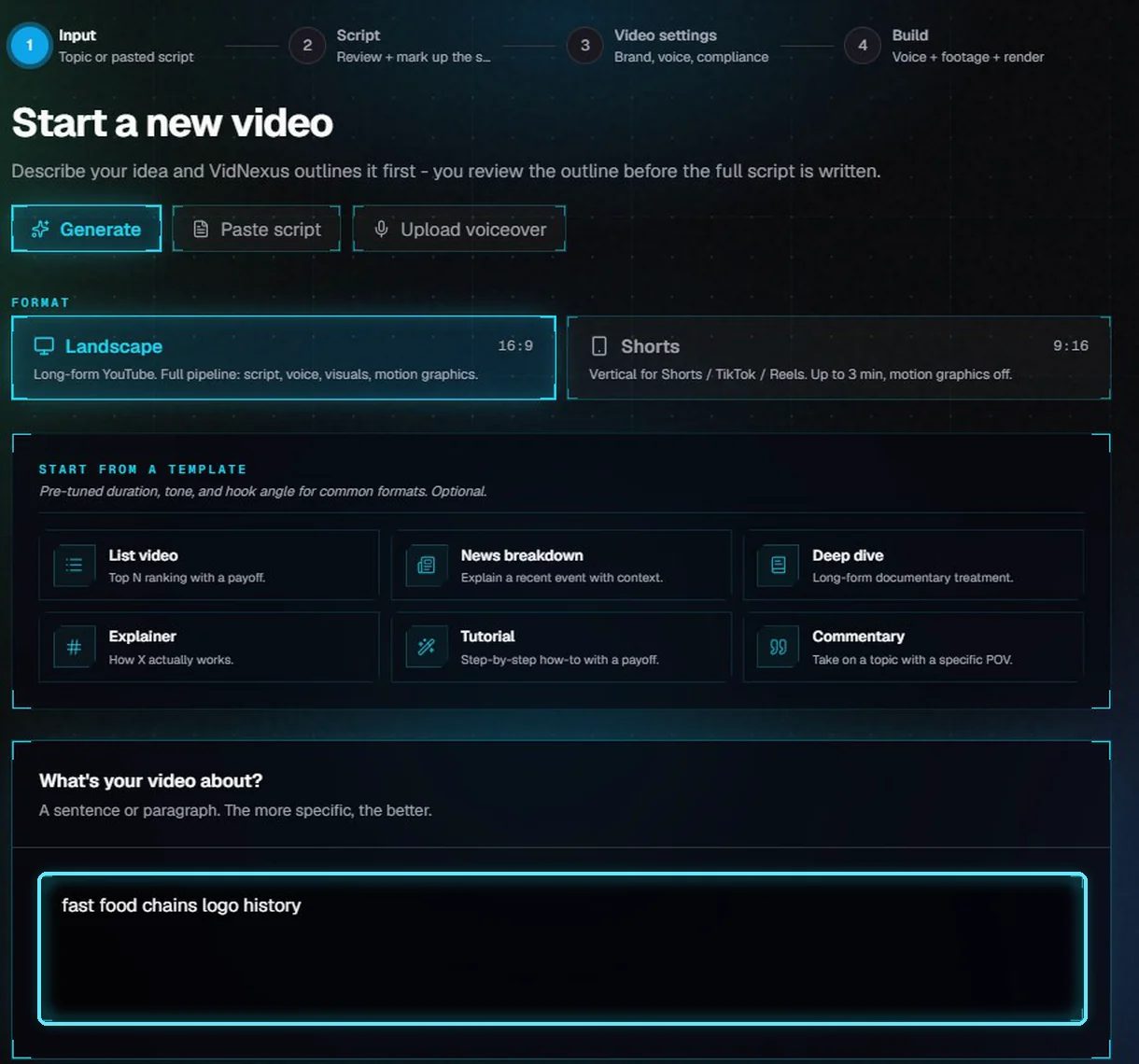
New video, with the keyword already filled in.
Tips
Pulse a broad topic, then score the specific searches around it. Broad topics have trend data; exact phrases mostly don't.
Look for many views and several small channels in the top 10. Lots of views with only big channels means a hard search to rank for.
Use the dig deeper icon (the branch) on a good row to run Keywords again with it as the seed.
Your quota resets at midnight Pacific time. Measure only the rows you'd actually make.
Troubleshooting
"Google Trends is refusing requests from this connection". Wait the minutes it says and pulse again. Results that worked are kept for 24 hours.
"Too few searches". The phrase is too specific for Google Trends. Try fewer words, or switch Search on to Google.
No scores, and a note about the YouTube key or quota. Add a YouTube Data API key in Settings > API keys, or wait for tomorrow's quota.
Suggestions in another language. Check Audience. It sets the country and language of YouTube's suggestions.