
Outline and script review
Fix the outline, write the sections, then check the hook score and the facts before you continue.
A 4-minute video version of this guide will play here. Everything it shows is written out below.
Between the idea and the voiceover, VidNexus shows you two drafts: the outline, then the script. This guide reviews both for the fast food logo history video from the last tutorial, and fixes what the AI got wrong on the way.
Before you start
A video started with Generate on New video (see Format, length, tone and hook angle).
An AI model in Settings > AI model. It writes and checks the script.
1. Read the outline
Open the project from Projects. A video without a script opens on its outline.
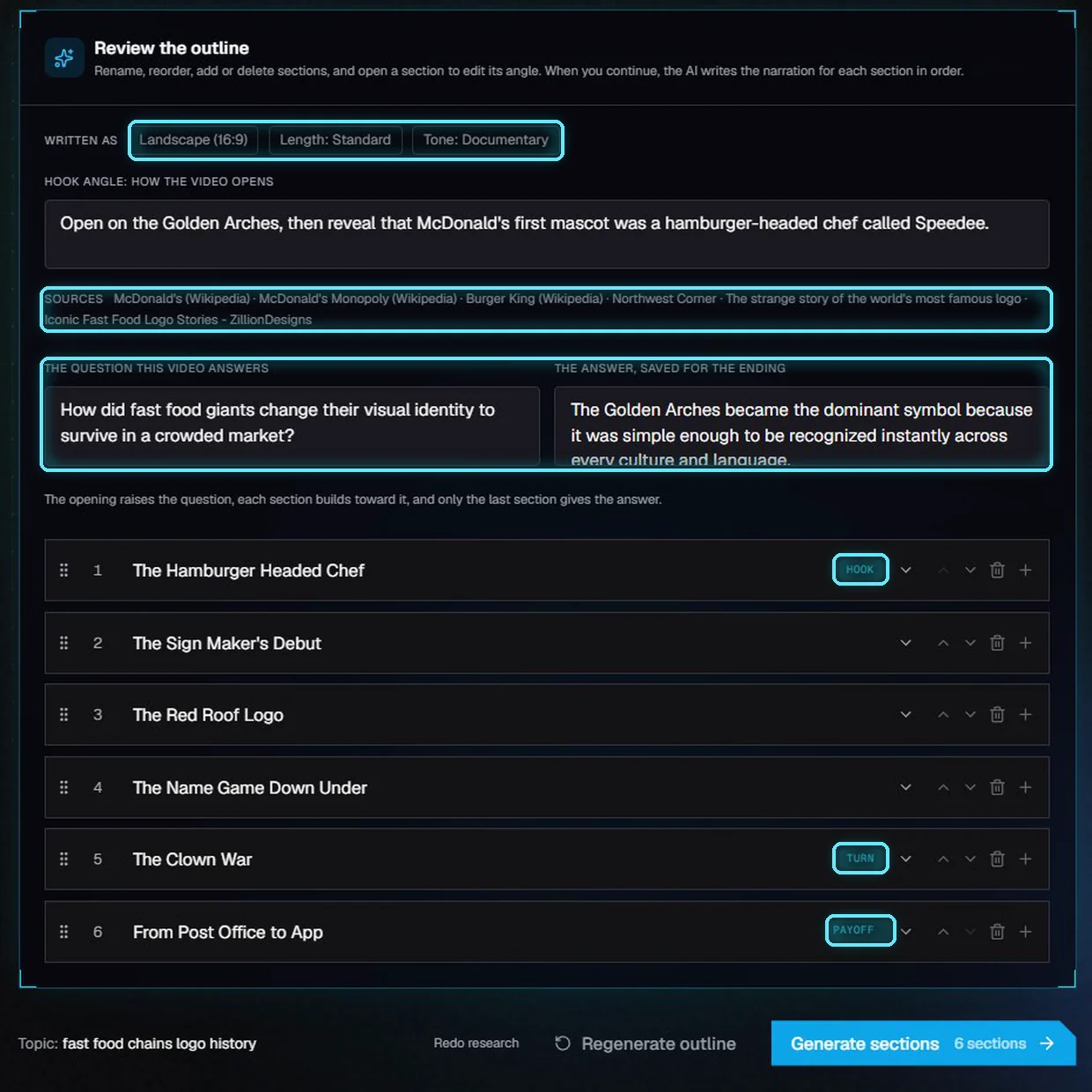
The outline: what it was written as, the hook angle, the sources, the story plan and six sections.
Part | What it tells you |
|---|---|
Written as | The format, length and tone the outline was planned with (set on New video). |
Hook angle | How the video opens. Change it here, click Save, then Regenerate outline to apply it to section 1. |
Sources | The pages the research read. Click one to open it. |
Story plan | The question the video answers, and the answer it saves for the ending. You can edit both. |
Sections | The parts of the video, in order. Hook raises the question, Turn brings a twist, Payoff gives the answer. |
2. Edit the outline
Fix the plan here, before any narration is written. It is much quicker than fixing the script later.
Rename a section: click its title and type. We renamed the off-topic last section, about the Monopoly game app, to The Arches Today.
Change its angle: click the arrow on the right of the row and write what the section should say. Our angle gives the answer: the arches outlasted every mascot because two simple curves can be read at highway speed, in any country.
Reorder: use the up and down arrows, or drag the dots on the left. We moved The Red Roof Logo down, so the two Burger King sections sit together.
Add or delete a section with the plus and the bin.
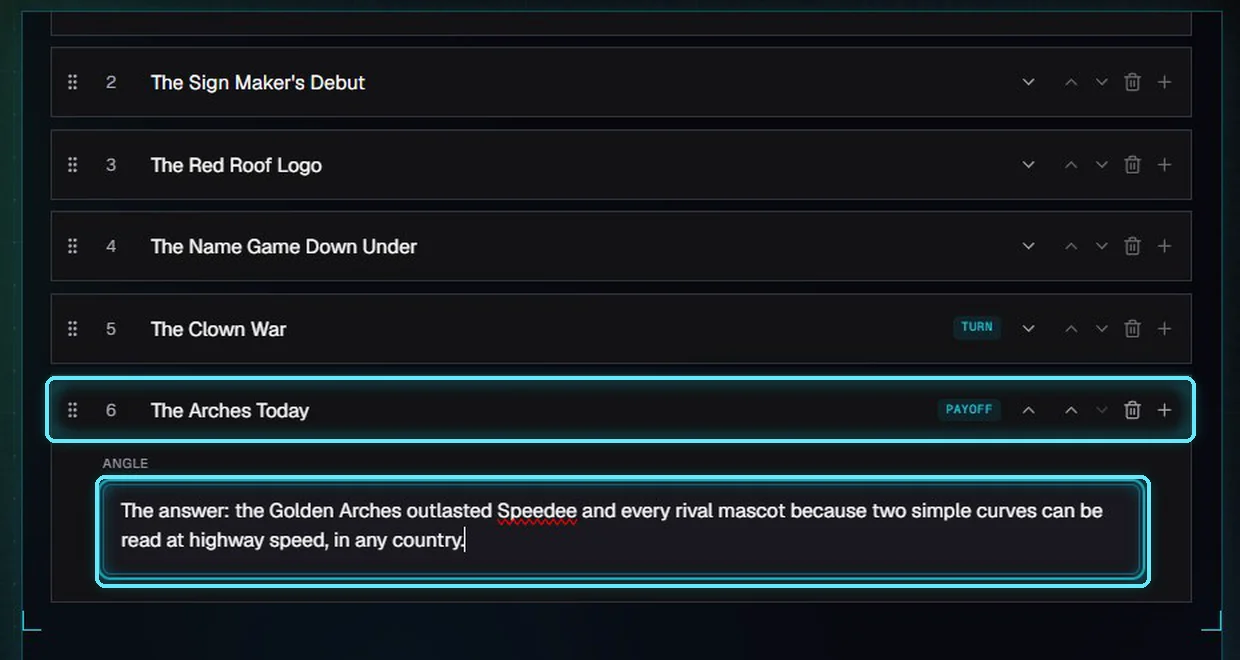
The renamed section and its new angle.
Every change is saved as you make it; the top of the card says Changes saved. A reload, or a visit to another page, keeps your edits. Hook and Payoff always go with the first and last places, and Turn stays with the section it was planned for.
Changes saved.
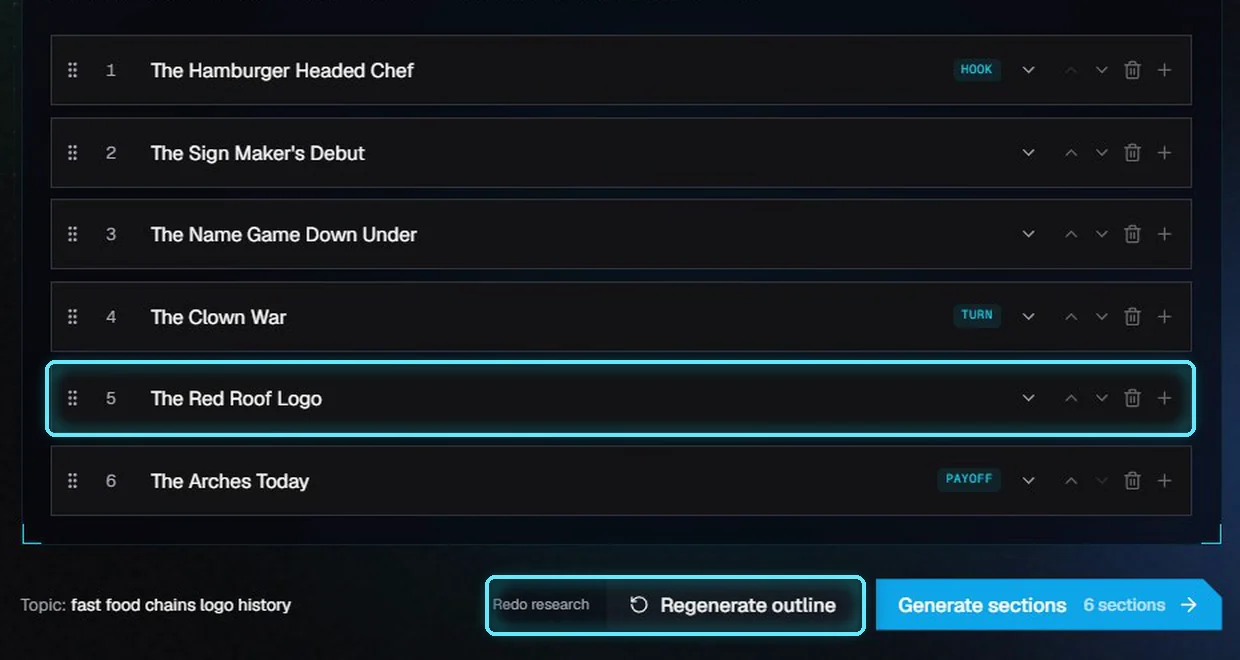
The Red Roof Logo moved to fifth. Regenerate outline and Redo research are at the bottom.
Button | Takes | What it does |
|---|---|---|
Regenerate outline | Under a minute | Plans a new outline from the research already done. 38 seconds in our test. |
Redo research | A few minutes | Searches the web again, then plans a new outline. |
Both replace the outline. If you edited it, VidNexus asks first.
3. Write the script
Click Generate sections. The AI writes the sections in order, and each one appears as soon as it is done. Then it scores the opening and checks the facts against the research. On our local AI model, all of this took about three minutes. Cancel takes you back to the outline.
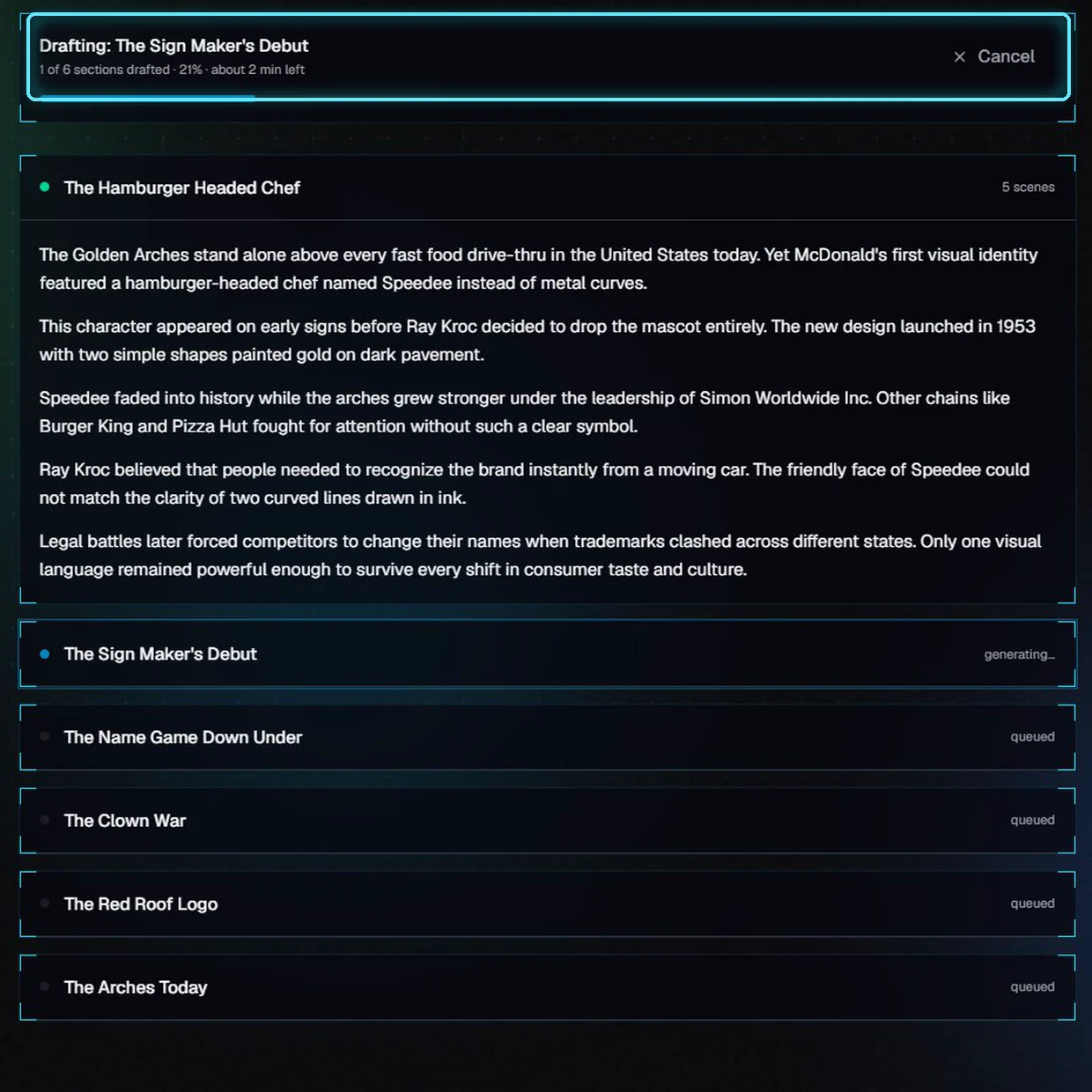
Writing section 2 of 6. Section 1 is already done.
4. Read the hook score
The hook score rates the opening, scenes 1 and 2, out of 30. A strong opening needs 18 or more, with no part under 5. When the first draft is weak, the AI rewrites the opening once, and the card shows the new opening's score and the first draft's.
Part | What it scores (out of 10) |
|---|---|
Stakes | Does the viewer know early why this matters? |
Specificity | Does the first sentence use a real person, place, number or moment? |
Title promise | Does it name the subject and raise the question, without giving away the answer? |
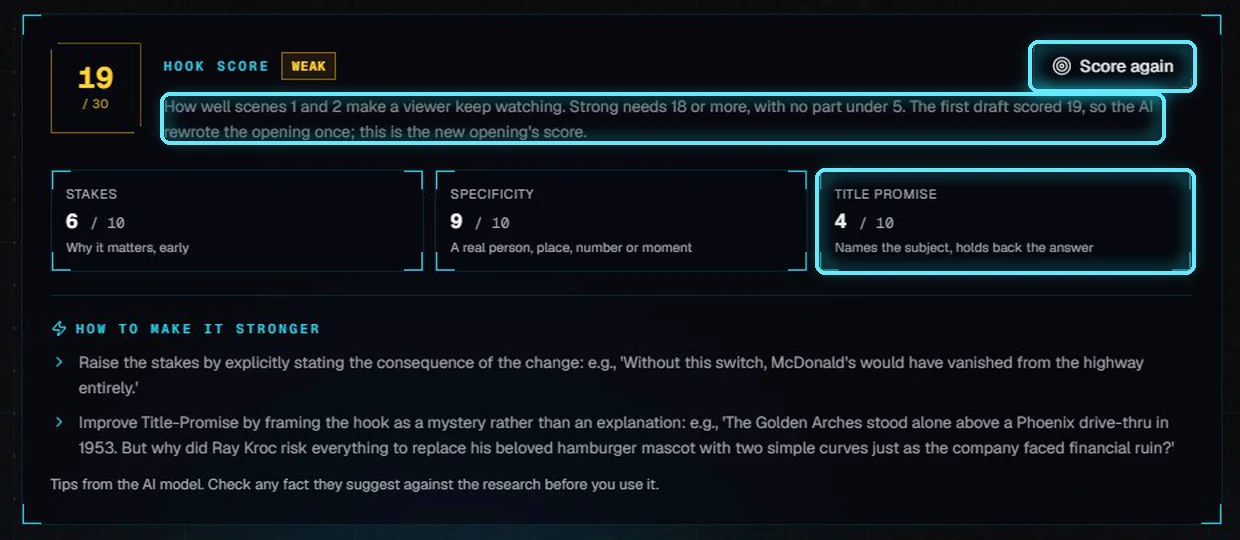
19 out of 30: weak, because title promise is 4. The rewrite scored the same as the first draft.
The tips under the score come from the AI. Check any fact a tip suggests before you use it: one of ours proposed that the company "faced financial ruin", which the research doesn't say.
The script is one card per scene, with the opening marked. Edit any card. If you change the opening, the card says so; click Score again.
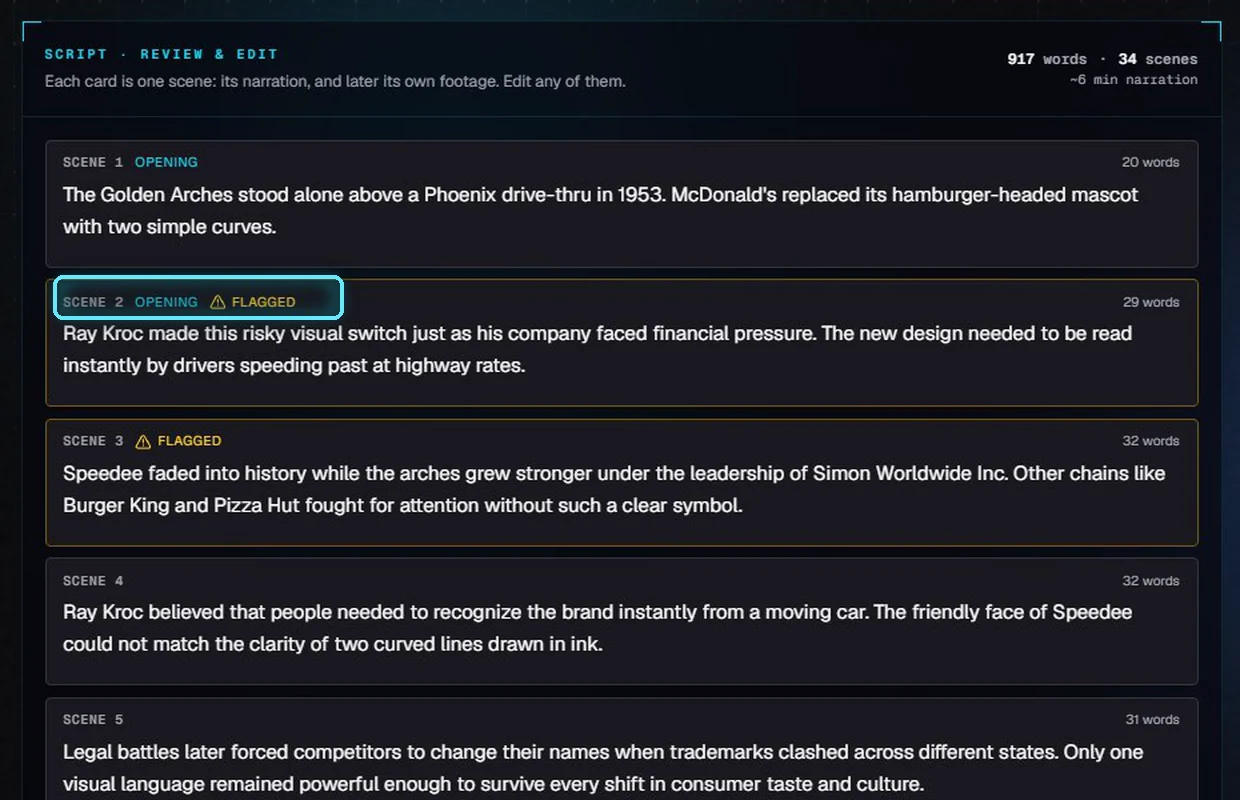
One card per scene. Scenes 1 and 2 are the opening; flagged scenes have an amber border.
5. Check the facts
The fact-check compares the names, dates and numbers in the script with the research. Low confidence usually means a detail the AI made up. Medium means plausible, but not in the research.
Read Why flagged. Our scene 3 said the arches grew under the leadership of Simon Worldwide. The research says Simon Worldwide ran the prizes for the Monopoly game.
Click the scene number to jump to that card.
Click Apply fix to swap in the suggested rewrite, or edit the card yourself.
Click Check again. It checks the edited script, in about a minute.
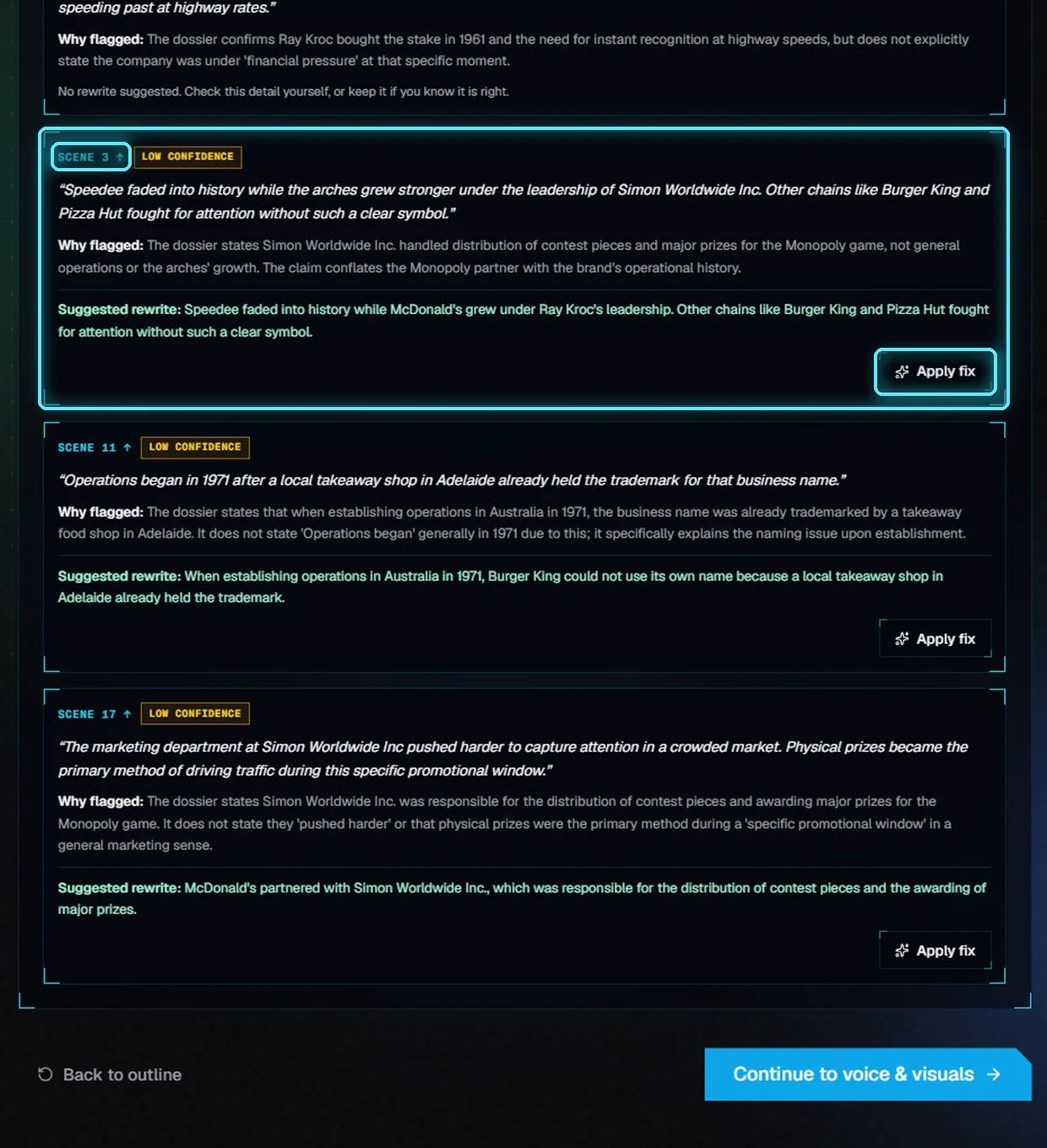
Four flagged scenes. Scene 3 credits the wrong company.
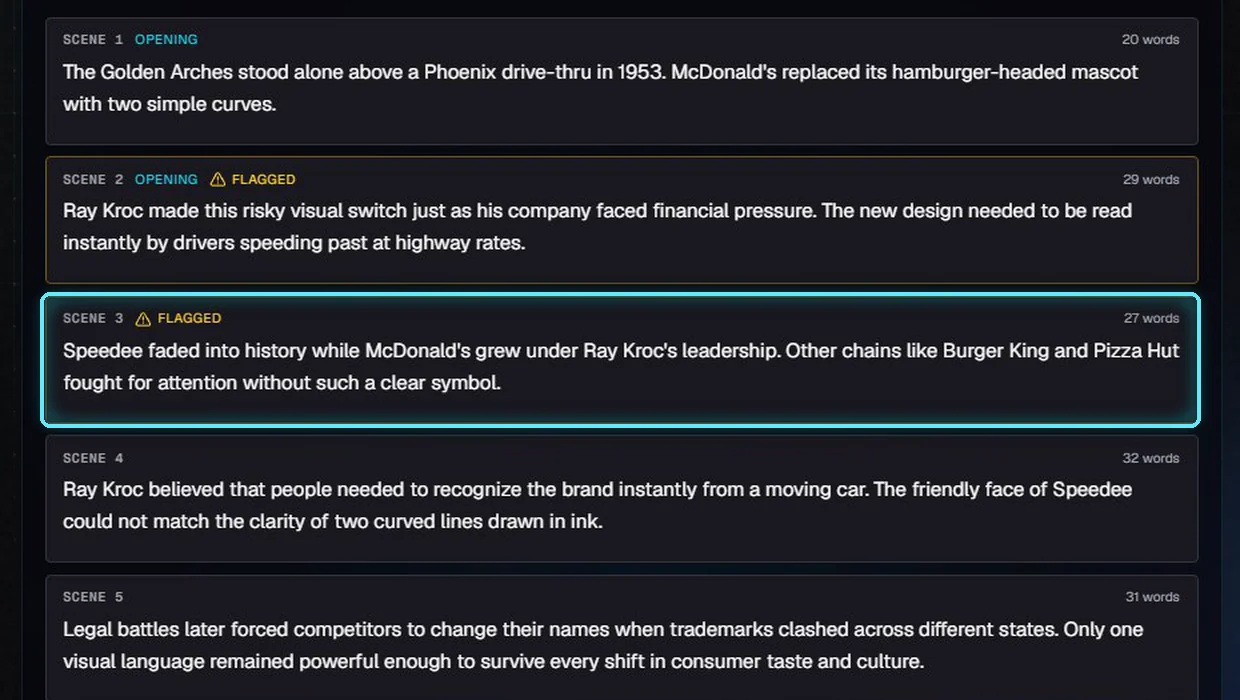
Scene 3 after Apply fix.
After Check again, one flag was left: a medium one. The research doesn't say the company was under financial pressure. Fix a line like that yourself, or keep it if you know it is right.
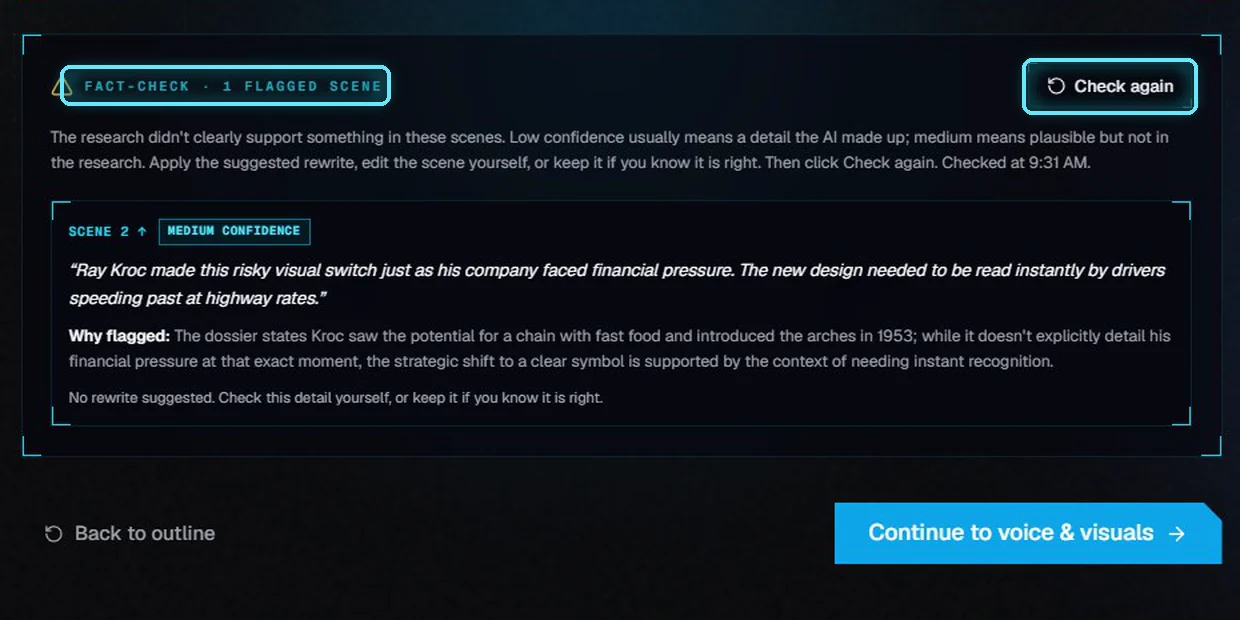
One medium flag left after Check again.
6. Continue
Back to outline shows the saved outline again, if you want to change it and write the sections again. When the script is right, click Continue to voice & visuals. VidNexus saves the script, one scene per card, and opens Video settings.
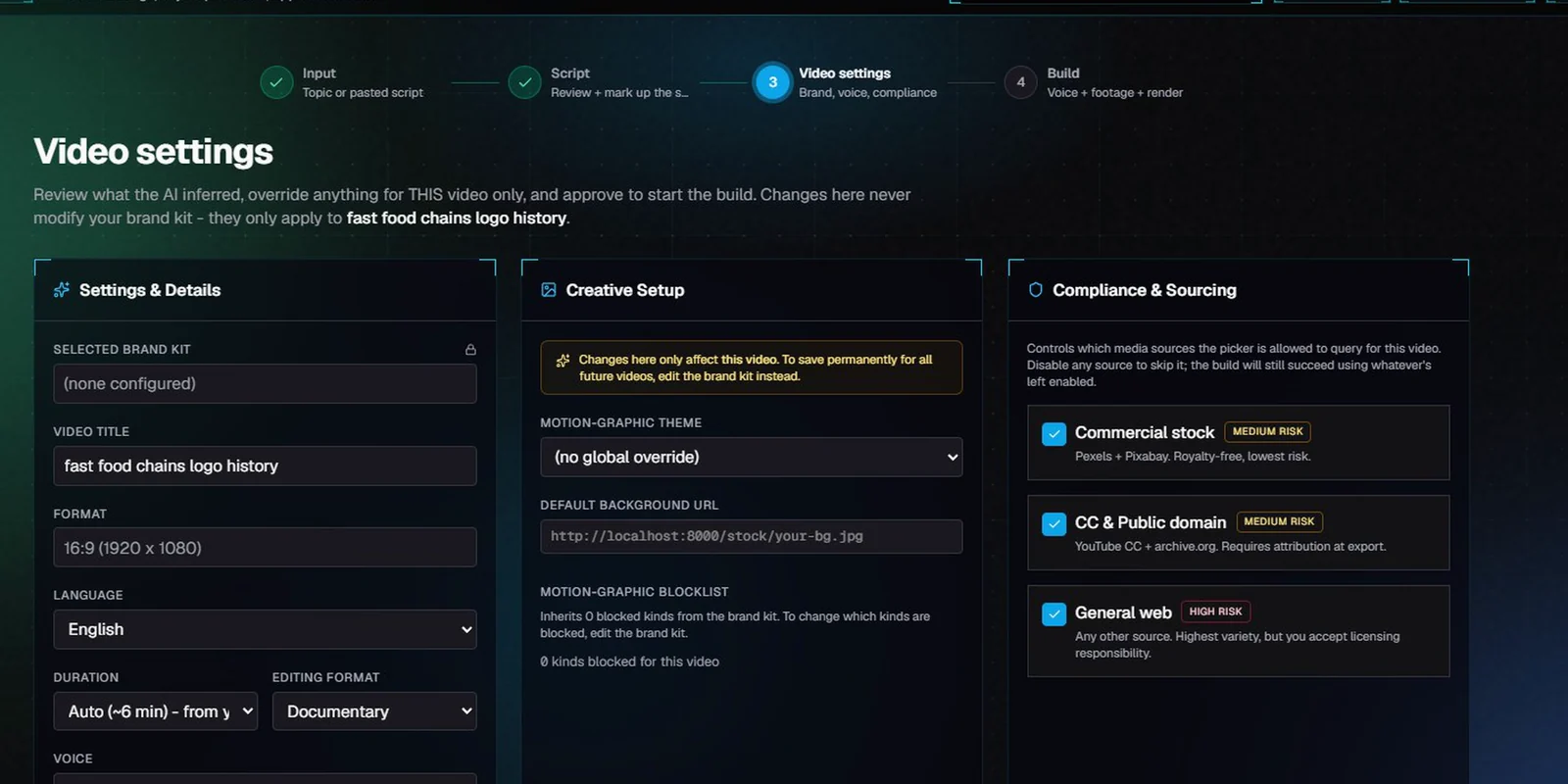
Video settings, the next step.
Next: Video settings.
Tips
Fix the outline first. A wrong section costs a minute in the outline and much longer in the script.
Use the angle to tell a section what to say. The writer follows it.
Treat every flag as a question, not a verdict. The check only knows what the research found.
Click Check again after your edits, and Score again after you change the opening.
Troubleshooting
"Couldn't save. Check that VidNexus is running." The outline edits didn't reach the app. Check that VidNexus is running, then make the change again.
"This scene changed since the check." You edited that scene after the fact-check, so Apply fix can't find the old text. Edit the scene yourself, or click Check again.
FACT-CHECK · NOT RUN. This script has no research to check against, for example a pasted script. Check names, dates and numbers yourself.
OPENING EDITED SINCE. The hook score is for an older opening. Click Score again.